Contents
- Index

Converting Words to Numbers
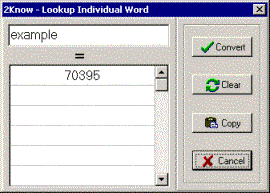
Fig. 2: Converting 'example'
On the main form click  . Enter the word to be translated in the space provided at the top of the lookup form. Hit
  on the keyboard or click
  to display numeric equivalents.
Case and non-alphabetic characters such as spaces, apostrophes, hyphens, and characters inclosed in parenthesis are ignored during conversion.
Click  to copy the word and number(s) to the clipboard. The copied information can be pasted to other applications. If more than one number is listed, select the desired number by clicking on it .
At any time click  to clear the form.